Things improved with advent of programs such as XAMP which contains a complete system ready made.
To download we have found that the porable version is superior .
XAMPP is a software package containing Apache web server, PHP, MySQL, and phpMyAdmin. You can install it on your Windows, Linux, or Mac operating systems. We’ll be showing you how to install it on a USB drive connected to a Windows PC, but the installation method are pretty much the same no matter where you install it.
The first thing you need to do is download XAMPP lite. Go to the XAMPP download page, and then click on More downloads.
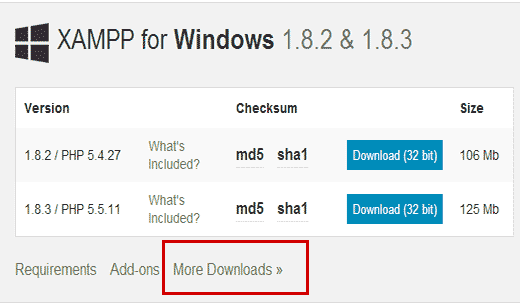
You will be redirected to sourceforge website where you need to first click on XAMPP for Windows, and then click on the latest version.
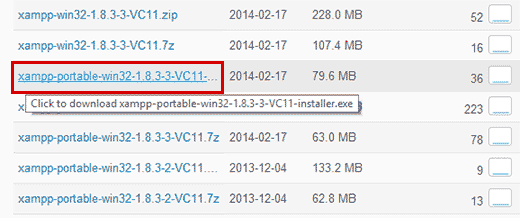
On the next screen, there will be a list of files available for that version. Scroll down and find the portable version in .exe format. Click on the file name to begin the download.
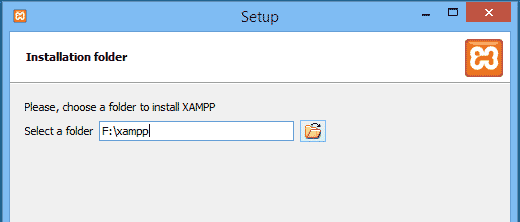
Click on next to continue the installation. The installer will now install XAMPP on your USB drive. After the installation, you need to go to your USB drive and then open the XAMPP folder.
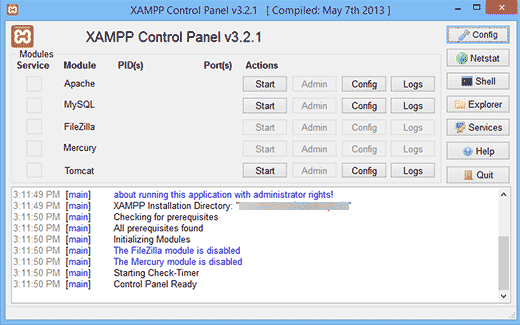
To launch XAMPP, you need to run xampp-control.exe from your USB drive. This will bring up the XAMPP Control Center which looks like above.
www.cybersoftware.co.uk